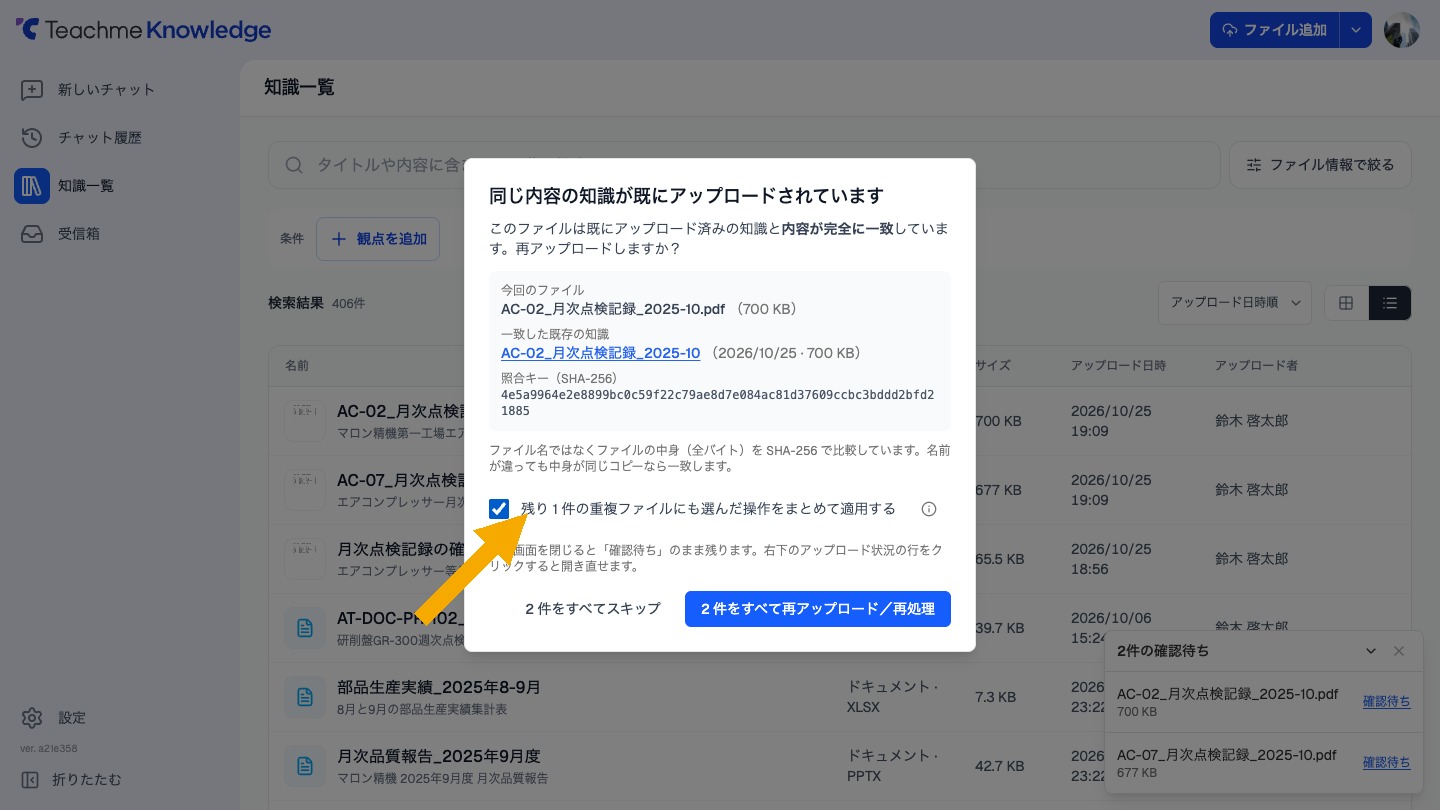
On the confirmation screen that appears when there are multiple files with the same content, checking "Apply the selected action to the remaining ◯ duplicate files all at once" now allows you to perform the same action on all remaining files at once.
Previously, only batch skipping was available, but now you can also select batch re-upload or batch Redo of processing.
Re-upload and reprocessing cannot be undone.
Related: Choosing whether to Upload files with the same content
https://teachme.jp/8/manuals/50839885