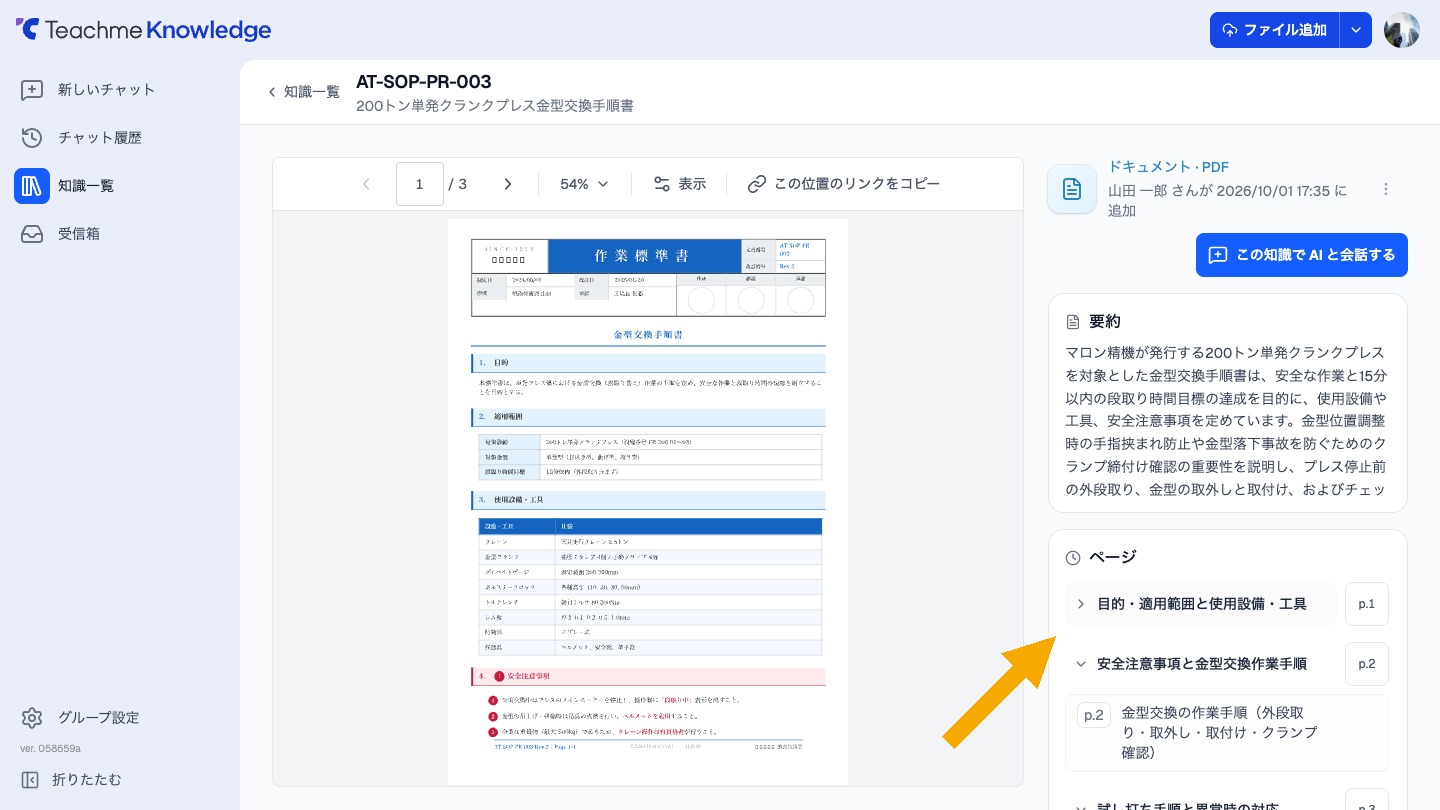
In the knowledge detail screen for PDF and Office files, the list of pages and sections can now be collapsed by chapter.
Clicking on a chapter heading will close or open the list for that chapter.
Clicking on "p.1" or similar text to the right of the heading will navigate to the first page of that chapter.
Related: Opening a target page from the page list
https://teachme.jp/8/manuals/50839112